
bpf Moodle
Moodle is the BPF’s online learning platform and provides a central place for students and trainees to access the information and resources they need throughout their training.
Moodle at the BPF
Once enrolled on your course, Moodle will be your main place to access course materials such as reading lists, timetables, course documents, learning resources and other useful information.
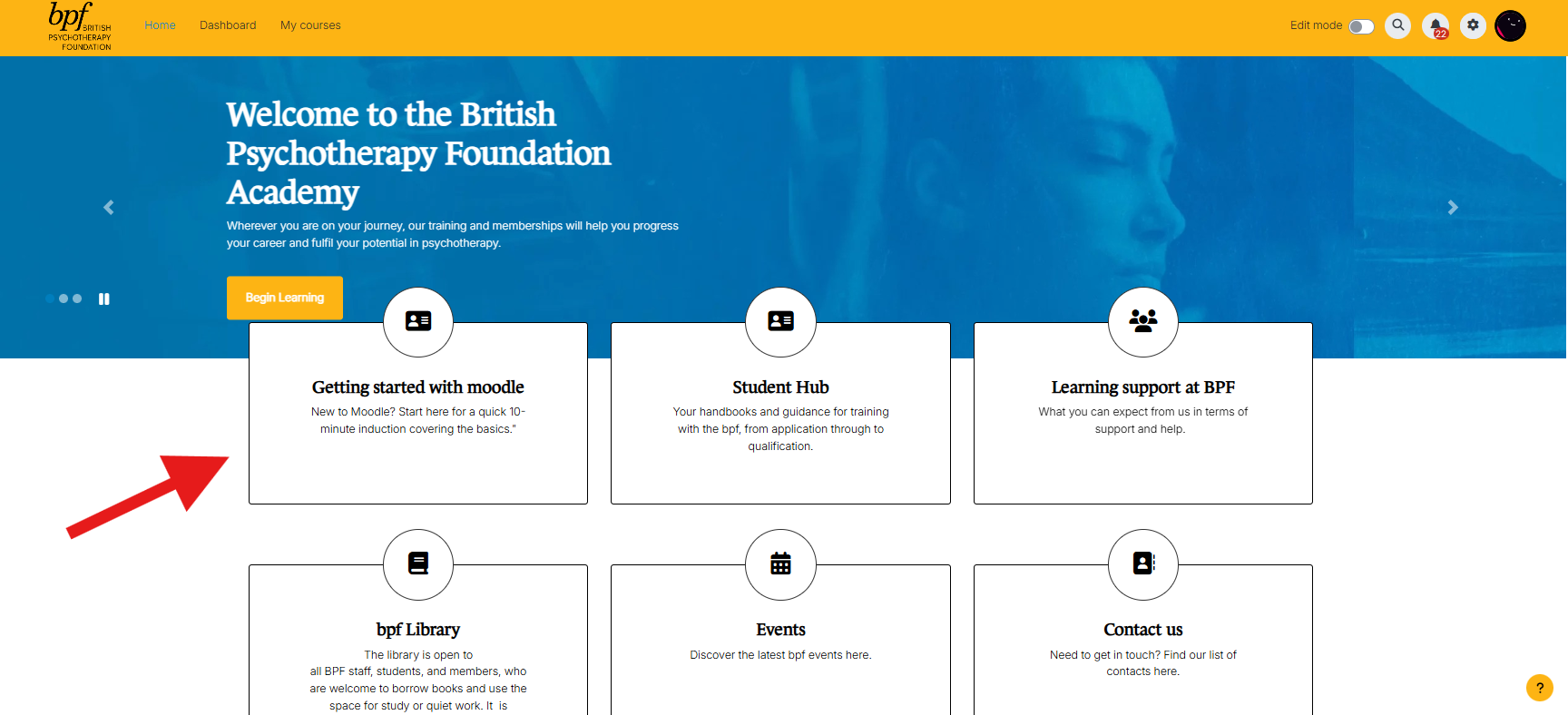
You’ll also find links to wider BPF resources and services, including the Student Hub, Learning Support, Library resources, events and BPF news.
Getting started
Access to Moodle is linked to your BPF account, so you don’t need a separate Moodle username and password.
We’ve created a short video below showing you how to access Moodle for the first time.
Once you’ve successfully logged in, select My Courses to see the courses you are currently enrolled on.
New to Moodle?
Don’t worry if you haven’t used Moodle before. We’ve created a short course to help you get started.
Once logged into Moodle, you’ll find our Getting Started with Moodle area, which includes short guides covering:
- Finding and accessing your course
- Understanding your course page
- Finding reading lists and course resources
- Opening and downloading files
- Navigating the BPF Moodle site
Having trouble accessing Moodle?
If you’re unable to log in, first check that you’re using the same BPF account details that you use to access the BPF website.
If you’re still having problems, please contact the BPF for support. When contacting us, please include your name, course and a screenshot of any error message, where possible.